

Bookings that run on their own
A patient asks for a time in her own words. Sona offers what is really free on its own calendar, holds her pick, checks it again and books it, in the same conversation.
Nur Aisyah binti Rahman
WhatsApp
Assalamualaikum, saya nak jumpa doktor esok pagi. Ada slot kosong?
Boleh, saya ambil yang pertama, pukul 9:00 AM. Tarikh lahir saya ••/••/••••.
SonaTemujanji puan telah disahkan: Dr Lim Mei Ling, Jumaat pukul 9:00 AM. Sila datang 10 minit awal.
Dr Lim Mei Ling
Fri, 13 NovGP consultation, 15 min
Only times inside working hours, outside leave and clear of every booked or held visit. Up to three, earliest first.
Rebuilt from the demo clinic's seeded WhatsApp booking. Patient, doctor and times are synthetic.
How it works
From a message to a booked visit
Booking, moving and cancelling run on their own by default. What makes that safe is that the calendar, not the model, decides what is free.
-
She asks, in her own words
On a call, on WhatsApp or in Sona Care, in Malay, English or Chinese. The Front desk Agent hands it to Scheduling.
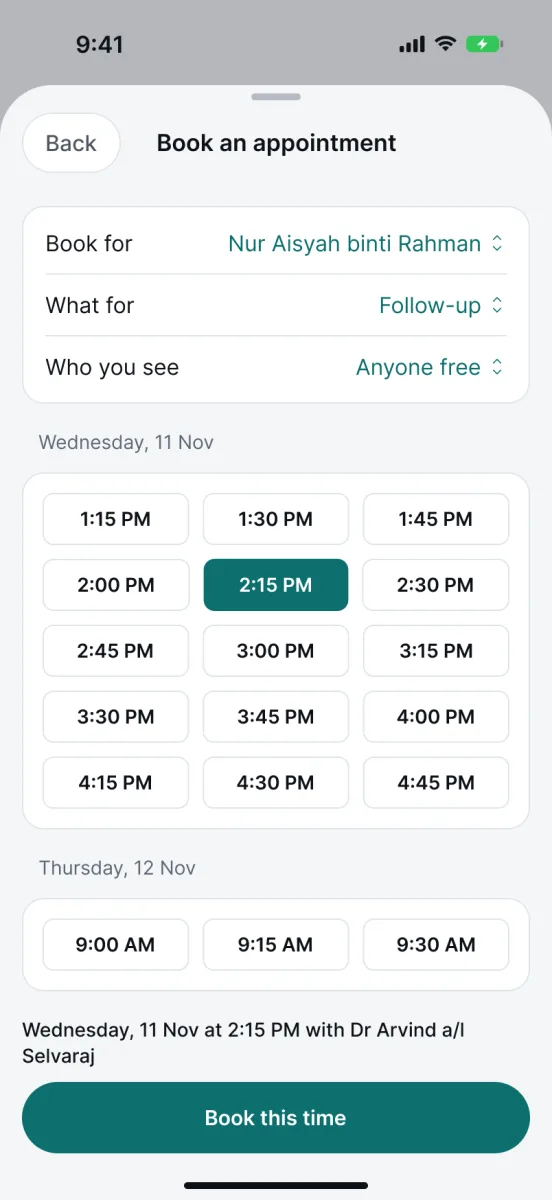
Sona Care on iPhone. In the app she can pick a free time herself. -
The calendar decides what is free
Sona searches one to seven days ahead and offers up to three times, earliest first. If the doctor she asked for is full, it offers other doctors, and that doctor's later days up to two weeks out.
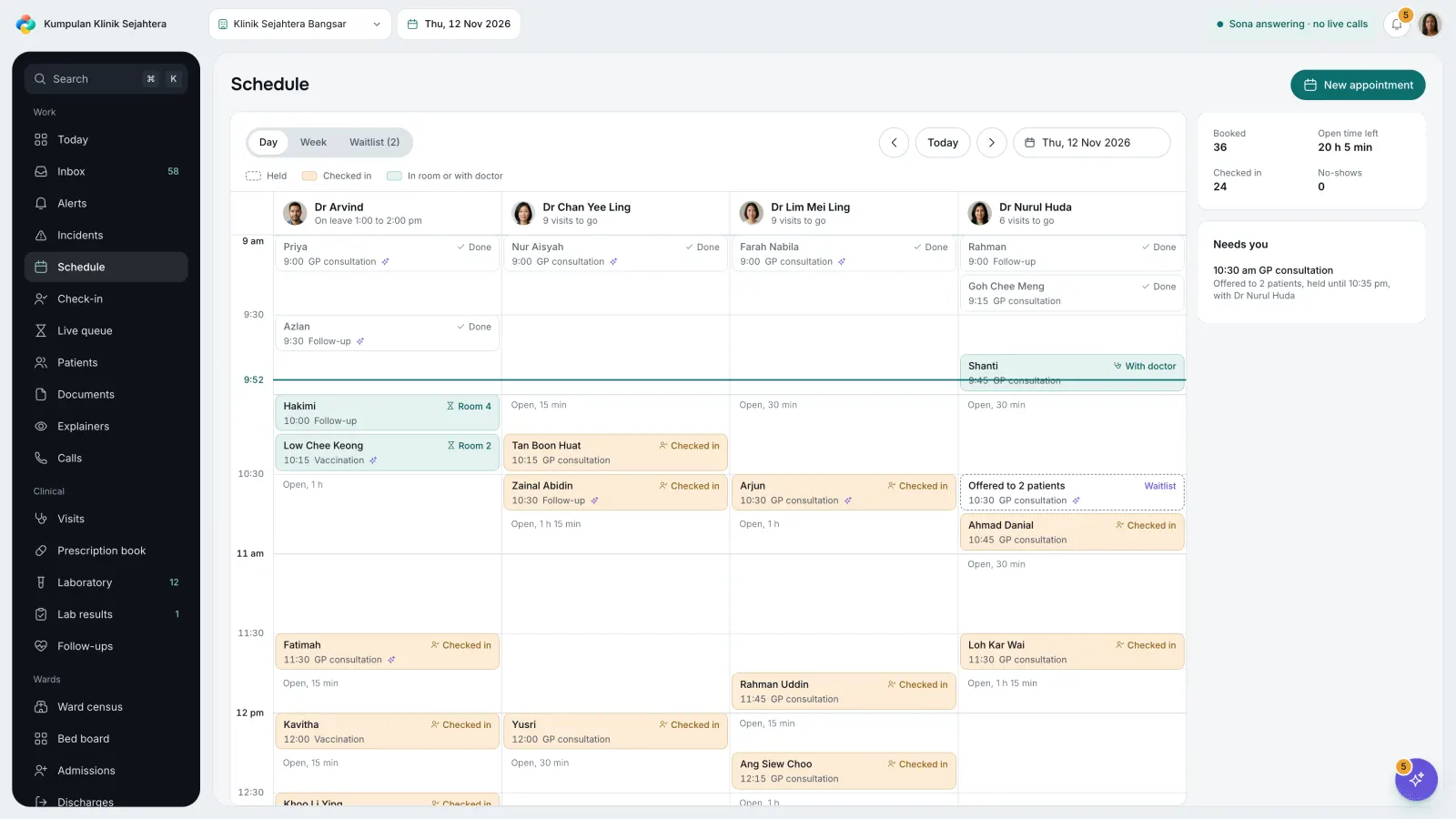
Sona Pro on the web, Schedule. Sona's calendar is the one staff use. -
The time is held, then booked
Her pick is held first, which checks again that it is free. The database itself refuses two visits in one time. Then the hold is booked.
OfferedOne of up to three free times in Sona's reply.HeldChecked free again the moment she picks it.BookedOn the Schedule as booked by Sona.Statuses as Sona Pro shows them. -
She hears back in the same conversation
The confirmation goes back where she asked. In Sona Care the visit shows on her Home, with what comes next: get ready, check in, seen.
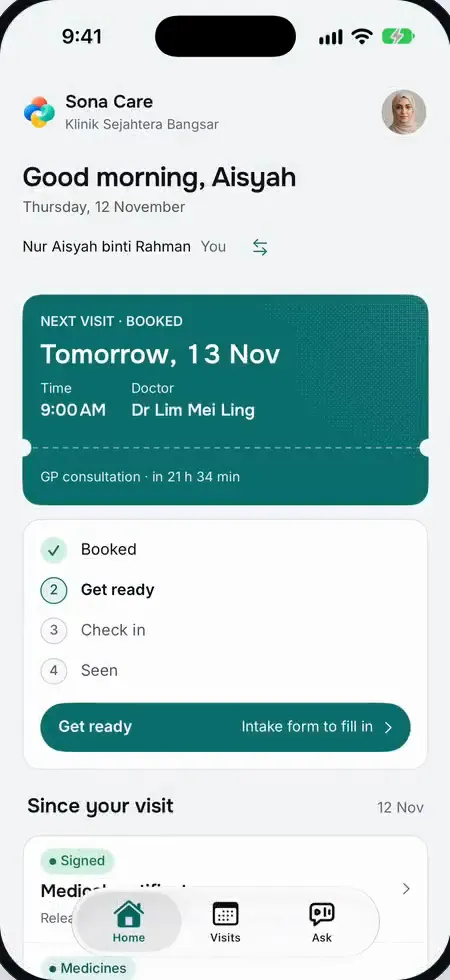
Sona Care on iPhone, the next morning's visit.

What staff and patients see
One calendar, two views
Your front desk sees what Sona booked on Today and the Schedule. The patient sees the same visit on her phone, and can ask to move it.
Front desk, Sona Pro on the web
Today counts what Sona booked: 16 of the demo clinic's 36 visits on 12 Nov.
Patient, Sona Care on iPhone
A move she asked for. The demo clinic has moves wait for the front desk, so her phone says so until they approve.
Guardrails
Fast, and still yours to set
- The calendar decides what is free
Sona can only offer times inside working hours, outside leave and clear of every booked or held visit. Times sooner than your minimum notice are refused.
Scheduling, find-slots - Two visits never share a time
The hold checks the time again, and the database refuses an overlap even if two patients pick it at once.
Scheduling, hold then book - Moves and cancels need the identity check
Nobody moves or cancels a visit they have not proven is theirs. A caller's number alone never books.
Identity check, before find-appointment - Your clinic sets the rule
Book, move and cancel each run on their own, ask your staff first, or stay off. Anything that moves money or changes the clinical record always asks.
Sona Pro, Settings, Approval rules - Staff changes reach the patient
When staff move a visit or a doctor's leave does, the Case goes to your staff to tell the patient.
Scheduling, staff and leave moves - Every booking on the record
Each visit shows who booked it: Sona, your staff or the patient in Sona Care.
Appointment, booked by
Works with
Features


Solutions
- Voice AI agentsSona picks up in Malay, English and Chinese and prepares the booking for your front desk.
- Sona CareVisits, results and questions in plain words, behind an identity check.
- Sona ProWhat needs your staff first, on the web and on iPhone.
- One patient recordCalls, chats, visits and claims write to the same patient record.