

Panel claims that wait for Billing
Panel cover is checked before the visit. The claim is prepared the moment the bill is issued. Every step that moves money stops for your Billing staff to approve.
Teoh Boon Keat · MiCare panel
- Before the visitCover checked
Read off MiCare's portal by staff, then recorded.
Covered - After the visitBill issued
RM 108.00
KSB-2026-000034 · 3 lines
- Claims AgentClaim prepared
MiCare's fields in its own order, and the documents it still needs.
Runs on its own - Submit a claimAlways asks
Waits in Approvals for Billing. Nothing goes to MiCare.
Approved by Billing. Staff enter it on MiCare's portal.
Waiting approvalSubmitted - What MiCare decidedPart paid
RM 70.00
of RM 108.00
Bill the RM 38.00 shortfallAlways asksApproved · KSB-2026-000035
Rebuilt from the demo clinic's records for one synthetic Patient: his MiCare check, and the claim's Run step by step.
How it works
From tomorrow's list to the payer's answer
The Eligibility and Claims Agents do the gathering and the paperwork, in code, with no model. Your staff sign in to the payer's portal and decide every step that moves money.
-
Tomorrow's panel checks, ready at 6 pm
Each evening the Eligibility Agent gathers the details and cover of every panel Patient booked for tomorrow. Staff can start one from the Patient or the Appointment too. If the card details are missing, the Patient is asked for them through the intake form, or front desk is.
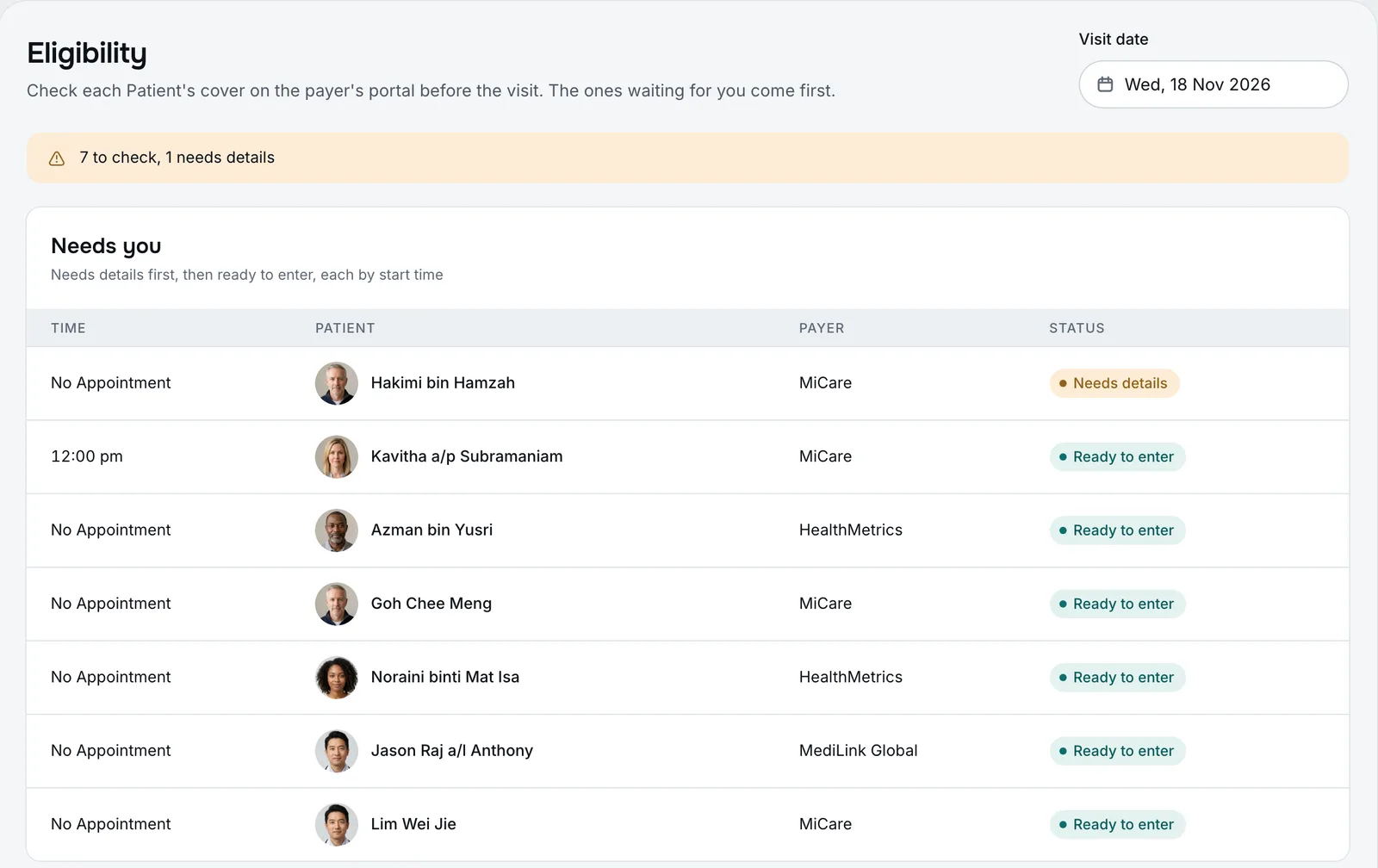
Sona Pro on the web, Eligibility. The demo clinic; Patients are synthetic. -
Staff check cover on the payer's portal
Staff sign in to the payer's portal themselves. Sona lays out the fields in that portal's order, each with a copy button, and says what is missing. Staff record what the portal said, with a screenshot if they like.
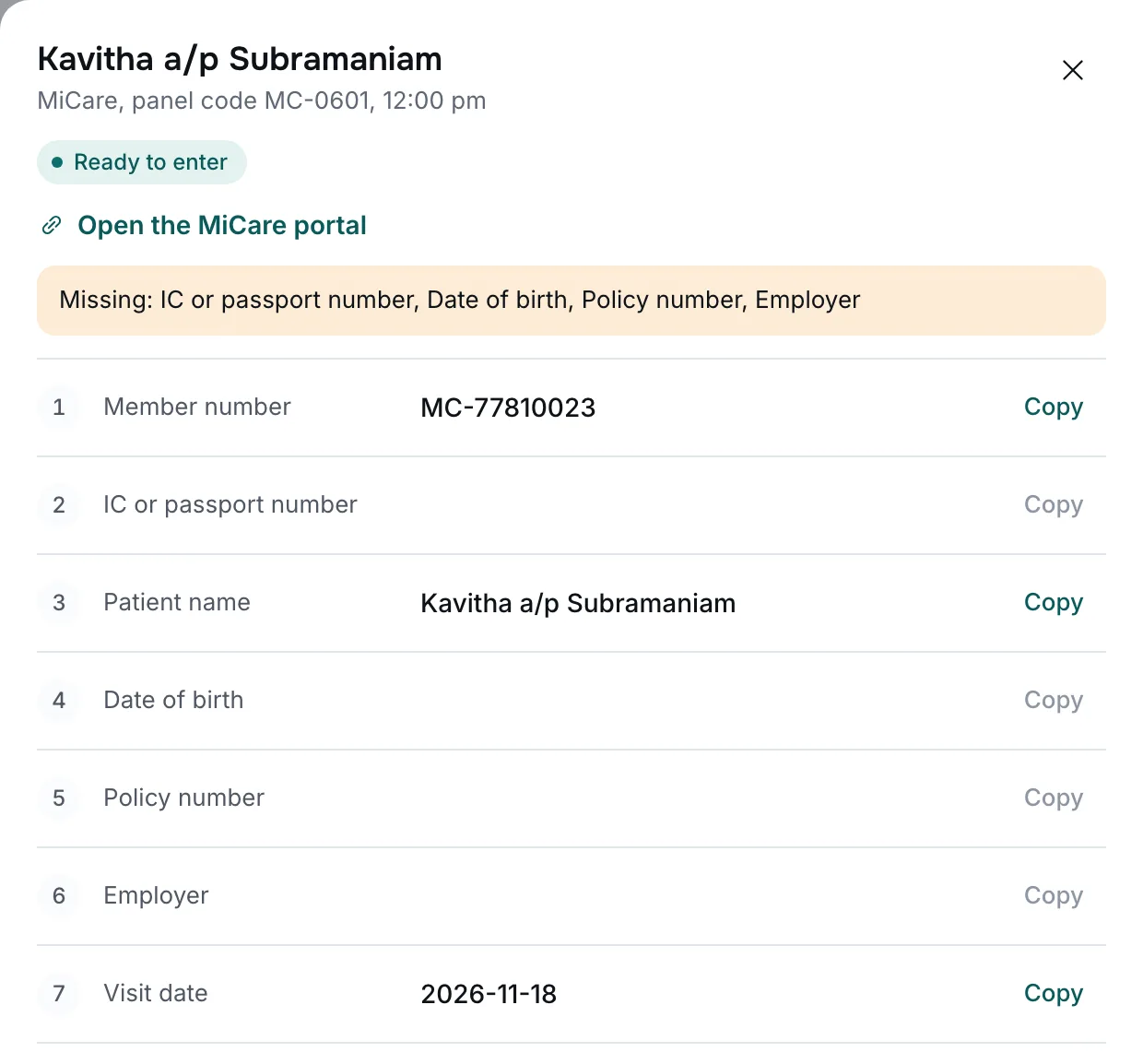
One check, ready to enter. Missing fields stay empty, never guessed. -
The claim is prepared when the bill is issued
A payer's share of an issued bill becomes a claim. The Claims Agent fills the payer's fields and lists the documents it has and the ones still missing. Submitting it always waits in Approvals for Billing.
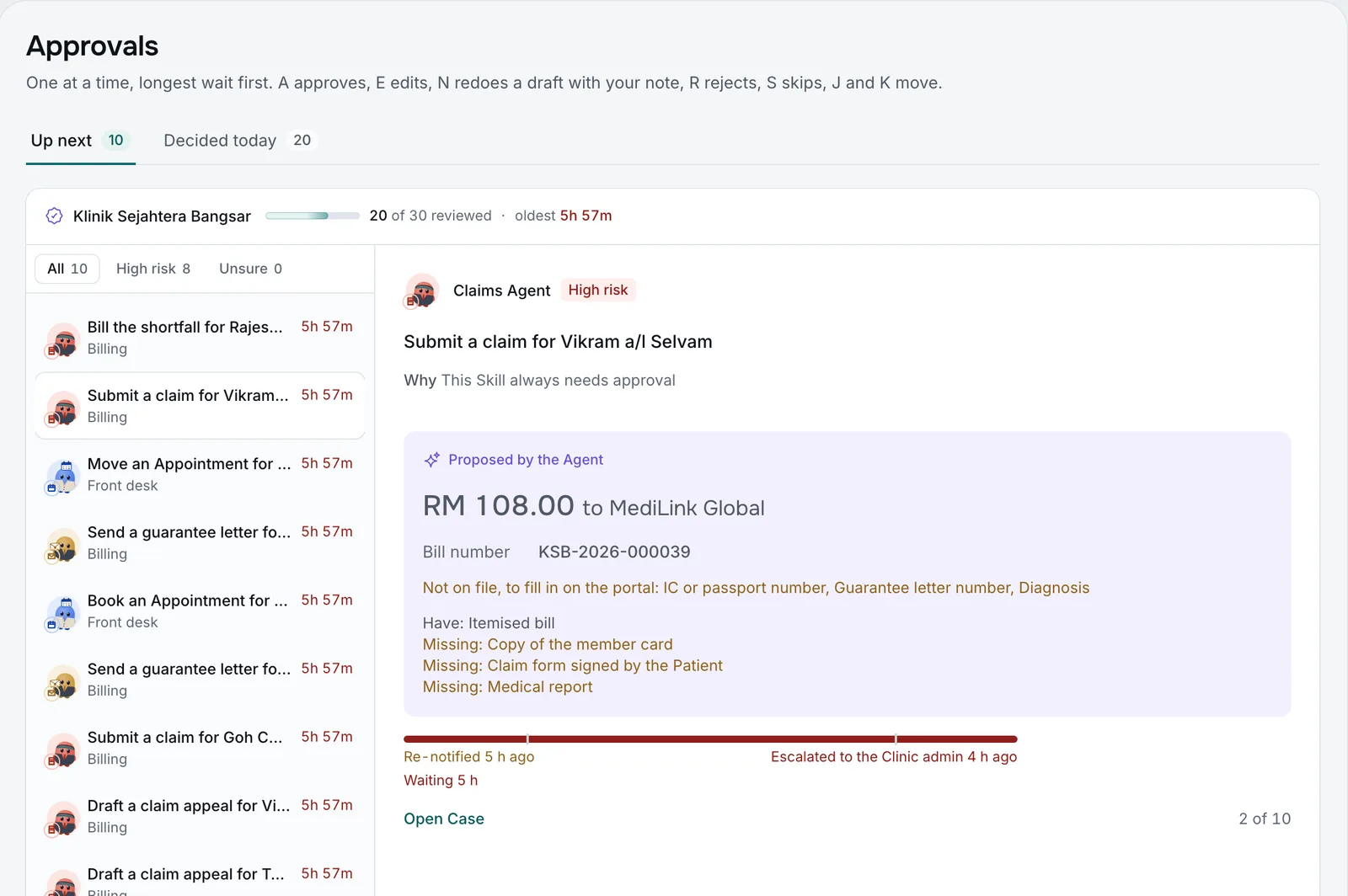
Approvals, longest wait first. Re-notified, then escalated to the Clinic admin. -
Then what the payer decided
Once approved, staff enter it on the portal and record its reference, then whether it was paid, part paid, queried or denied. A denial gets an appeal drafted from the Case's evidence. A part payment gets its shortfall billed to the Patient. Both wait for Billing.
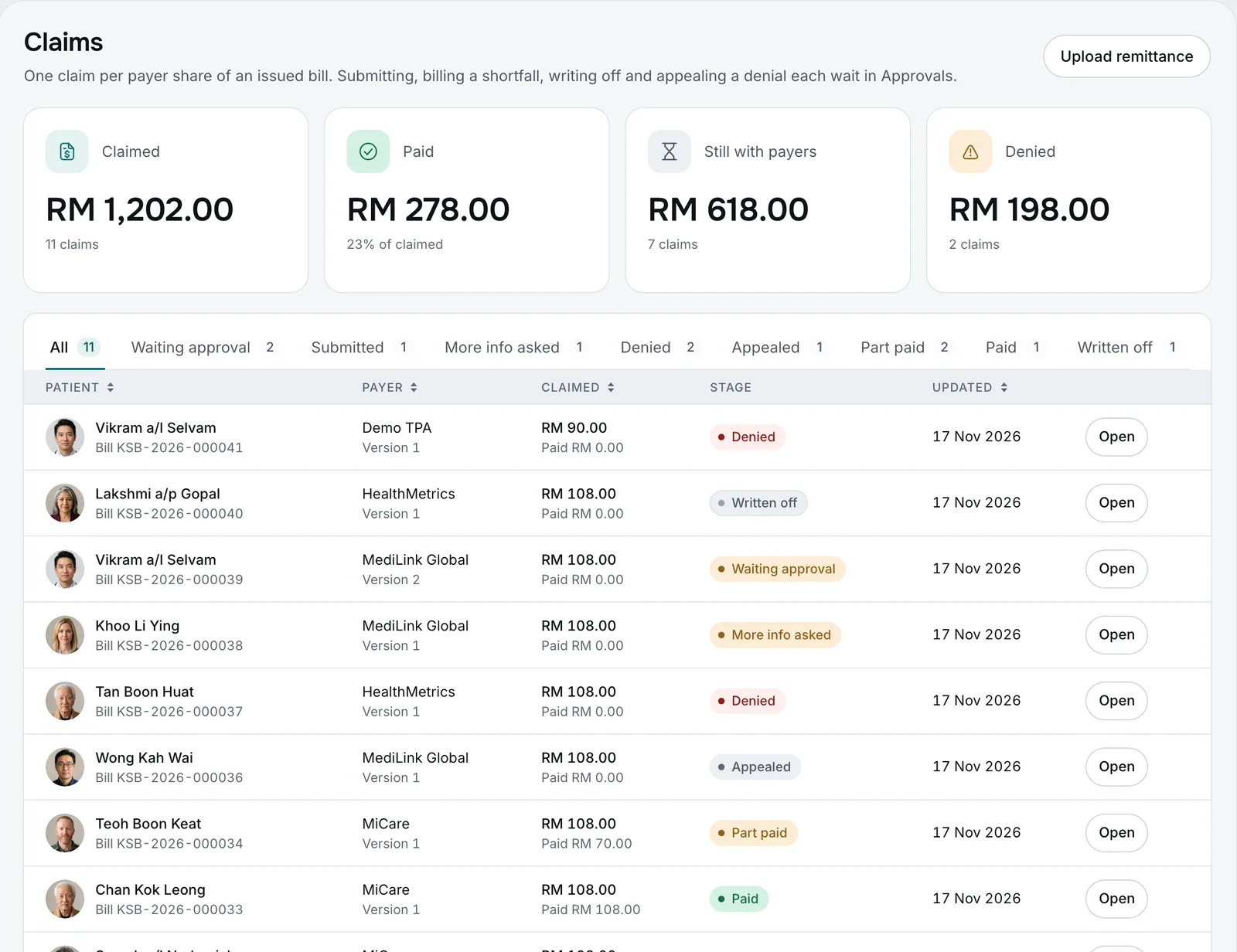
Claims, one per payer share of an issued bill. Demo clinic.


Bills, e-invoices and family bills
One bill, split by who pays
A bill holds a share for the Patient and one for each payer. The claim is the payer's share. The Patient's share is paid at the counter, or online in the portal.
Billing, Sona Pro on the web

Each bill shows its steps: charges, bill, claim, payment. Issuing, recording a payment and voiding a share show the amount and payer first, and need a second click.
Patient or family, the portal on a phone
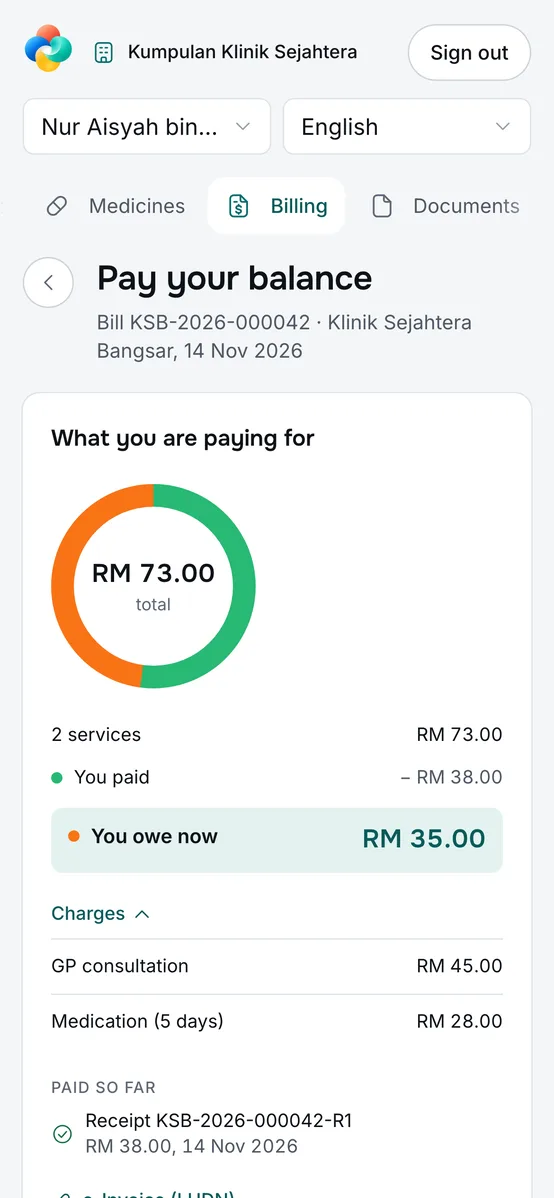
Nur Aisyah's own bill. The menu at the top switches to a family member she is linked to, her son, to see and pay his.
An e-invoice for every share
Each share of an issued bill gets its own e-invoice, sent to LHDN MyInvois on the clinic's behalf. Billing sees it queued, submitted, valid or invalid, with LHDN's link. An invalid one comes back to Billing on a Case to resubmit.

One number per bill, split into shares. A bill cannot be issued until the clinic's e-invoice details are in Settings.
A missing IC never blocks a bill: that share waits as needs IC or passport. If MyInvois is not set up, the e-invoice says not submitted, never sent.
LHDN sandbox (preprod) in testing; the demo uses a stand-inFront desk links a parent to a child, or someone an adult chose, after checking documents. In the portal they see and pay that person's bills by FPX or DuitNow QR, and the payment records who paid.
Online payments in sandbox testingGuardrails
Money moves only when a person says so
- Locked to ask
Submitting a claim, billing a shortfall, writing off and appealing always wait for an Approval. No clinic can switch them to run on their own.
Sona Pro, Settings, Approval rules - Decided by the right role
Money Approvals go to Billing or an admin. By default a waiting one re-notifies after 15 minutes and goes to the Clinic admin after 60.
Approvals, who decides - No portal password kept
Staff sign in to each payer's portal themselves. Sona never sees or stores a clinic's portal password. It drives a portal only with its owner's written permission; today that is Sona's own Demo TPA test portal.
Eligibility and Claims, enter on the portal - No model in the money
Eligibility checks, claims, shortfalls and appeals are built in code from the bill, the cover and the Case's evidence.
Eligibility and Claims Agents - Never on one click
Issuing a bill, recording a payment and voiding a share each show the amount and who pays, then ask again.
Billing, bill drawer - Bills only to the right person
In the portal a bill shows only to its Patient, or to someone front desk linked to them. Patients pay on their own bank's page, never in Sona.
Patient portal, Billing


